From your first conversation to confident client service.
Watch short guided demos, practice in a safe sample transaction, and learn when to involve your broker. Nothing in the simulator modifies real client records.

This should take only a few seconds.
Ready for your first client
Work in any order, return anytime. Broker visibility tracks milestones, not time spent staring at a screen.
Make your next move with confidence.
Learn the systems, practice the conversations, and understand how to move your first deal forward—with guidance available at every stage.
Brokerage approval, licensing, signed agreements, and client protection requirements always apply.
Start with the basics
Pick up from your most recent lesson.
Progress saves automatically when you complete a lesson or practice step.Four stages, one clear path
You can skip ahead to a topic anytime. Completing a lesson does not replace broker verification.
Learn one screen at a time
View an individual real dashboard screen. Learn where it is, what it does and practice one action before you advance.
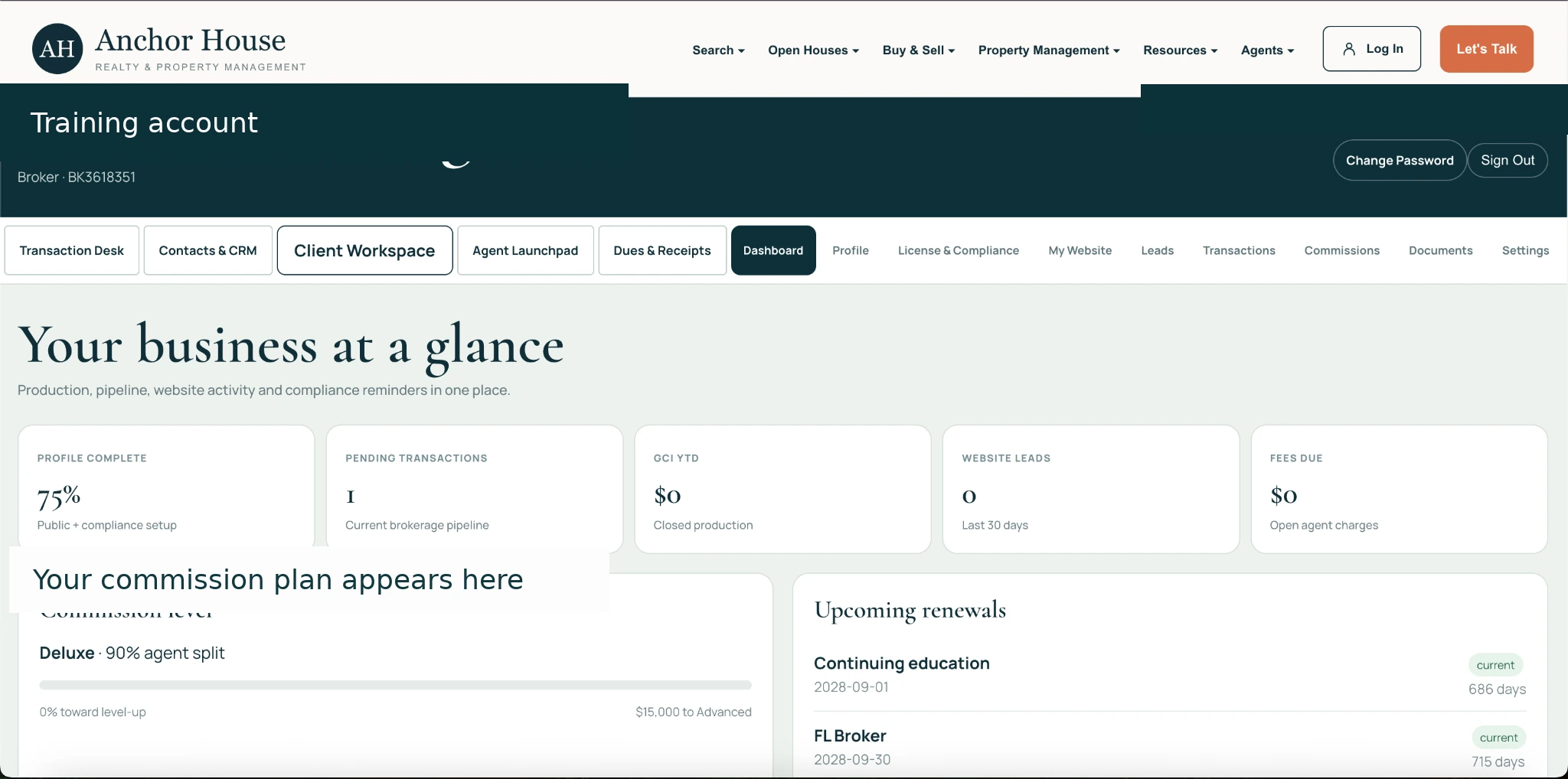
First day: your brokerage dashboard
First, learn where your official broker profile, licenses and documents belong. Then build your client routine in AgentLTC.
Start with the brokerage. Learn one client skill at a time, then practice it.
Graduate with useful skills, not just a completed checklist.
Your final portfolio should demonstrate a real plan for attracting clients, serving buyers and sellers, protecting deadlines, and requesting supervision.
Recommended training only. Course completion does not replace licensing, approval or brokerage supervision.
Know where to begin
These three short actions build familiarity without entering any fictional clients into a production system.
Three tools, three clear jobs
Plan outreach, manage relationships, organize appointments, and review your production habits.
Verify licenses, manage your public website, see brokerage documents, commissions, and account information.
Handle real, accepted transactions: participants, contracts, checklists, signatures, fees, and broker reviews.
Select a module to begin.
Know where everything is—and what it does.
See an annotated guide, then select any dashboard section to learn where to find it, what it's used for, and how to practice safely.
Guide Taylor from first call to closing
Twelve fictional practice decisions saved in course progress.
Watch it. Then practice it.
Each captioned animation demonstrates a sample process. Follow up by completing the matching interactive transaction steps.
Take these into your next client conversation
Use the scripts and checklists to prepare. Brokerage-approved forms and jurisdictional guidance always take precedence.
Educational simulation only. Example price, dates, rates, fees and form fields are fictional; use the applicable signed agreements, current state forms and broker instructions for every actual transaction. This training provides no license renewal or continuing education credit.